What local Storage measures
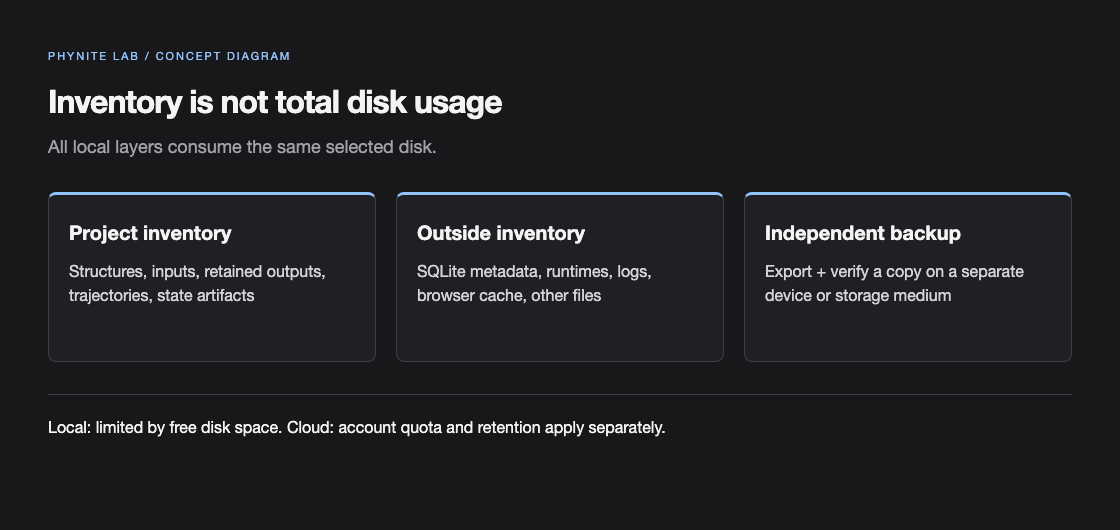
The default data directory is ~/.phynite-lab. Use --data-dir when a larger or separate disk is appropriate. Local mode has no fixed 10 GiB quota and does not automatically delete artifacts after seven days; free disk space is the practical limit.
| Counted | Outside the project inventory |
|---|---|
| Inventoried structures, inputs, configurations, completed results, trajectories, and project archives. | SQLite metadata, installed solver/runtime files, worker logs, browser cache, and unrelated files on the disk. |
| Intermediate state retained as a project artifact. | Operating-system free space and other applications’ data. |
QE intermediate files and wavefunctions
- disk_io settings and temporary state can be much larger than the final SCF summary.
- Wavefunction and tmp data may be required for bands, DOS, phonons, projected workflows, checkpoints, or external interoperability.
- Do not remove intermediate state until every downstream workflow finishes. Keep the exact input, pseudopotential identity and checksum, provenance, and state artifacts together.
- Wannier90 is an external/manual workflow unless a separately documented native integration is available; follow its official handoff requirements.
Export, import, and backup
- Export the project archive from Settings → Storage before moving a workspace or making a destructive change.
- Keep a second backup outside ~/.phynite-lab, including exact inputs, potential identities/checksums, provenance, and intermediate state needed by downstream work.
- Import into a new data directory first and verify structures, configurations, results, and checksums before replacing the working copy.
- Use Source package export for figures; it does not replace the project archive or solver runtime backup.