Startup and browser
| Symptom | Recovery |
|---|---|
| A local service stopped during startup | Run status and doctor with the same --data-dir. Read the startup logs printed or stored in the data directory; do not create a second workspace by changing paths. |
| The browser did not open | Use --no-open and open the exact loopback URL printed by the launcher. Port 3000 may have been replaced with an available port. |
| A second command shows the existing instance | Reuse the reported URL or stop the instance cleanly before starting a different data directory. |
| Projects appear empty | Check the original --data-dir, status, and workspace identity. Reinstalling npm does not restore data from another directory. |
phynite-lab status --data-dir ~/.phynite-lab
phynite-lab doctor --data-dir ~/.phynite-lab
phynite-lab --no-open --port 3000 --data-dir ~/.phynite-lab
Runtime and isolation
- Open Settings → Compute and verify that the requested DFT or MD/analysis runtime is installed, started, and capability-checked for this workspace.
- If a sandbox probe is unavailable, follow the operating-system remediation shown by the app. Do not disable user namespaces, bypass bubblewrap, or switch to an unverified runtime.
- For DFT, verify the selected pseudopotential library or exact UPF assets and their checksums. For MD, verify mapped elements, potential integrity, runtime validation, and the selected unit system.
- Run a small reference job once the Compute plan is ready. Keep the failed attempt and its first cause if it still fails.
Read the correct failure log
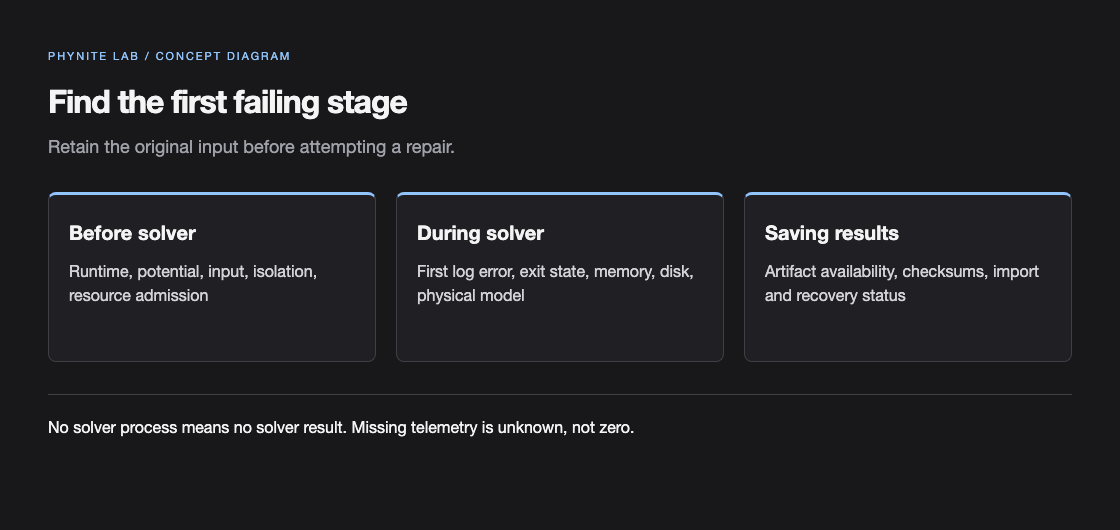
| First failing stage | Evidence | Next step |
|---|---|---|
| Preflight / setup | Visible Compute plan or run-review reason; no solver log because the process never started. | Fix runtime, isolation, source, potential, resource, or input validation, then submit a new attempt. |
| Solver execution | Execution log, log tail, exit status, and retained input/artifacts. | Read the first meaningful solver error; inspect memory, disk, syntax, and physical settings. |
| Result persistence / artifact | Solver output may exist while result import or artifact verification fails. | Keep the attempt, check disk and checksums, and use Recover saved result only when offered. |
| AI provider | Provider settings status, capability probe, and safe connection error. | Fix the official CLI login or provider availability. There is no silent provider fallback. |
Release identity, license, and update verification
The documentation release metadata currently resolves phynite-lab@0.1.5. The first command reports your installed launcher; the second reads npm registry metadata. A newer registry version does not update an already running process.
Open Source code and license in the app for its corresponding source. A published distribution records its exact public source commit and source archive; release assets provide package checksums and qualification evidence. Phynite-owned local code is AGPL-3.0-only; third-party solvers and potential files retain their own licenses.
Finish or cancel active work, stop the app, update with npm install -g phynite-lab@latest, and reopen the same data directory. Verify the launcher version and Compute capabilities. Background update notices do not install packages automatically and a registry outage does not prevent local work.
phynite-lab --version
npm view phynite-lab versionRestart, cancel, and recover
- Cancel an active run from Run history and wait until it becomes Cancelled or another terminal state. Do not submit a replacement while the original is still active.
- After a launcher or computer restart, inspect the run state and saved log. Interrupted work requires review; the app does not silently rerun a scientific job.
- Use Recover saved result only when the app reports verified saved output. Recovery imports that output; it does not claim the solver converged or rerun the job.
- Before disk cleanup or migration, export the project archive and make an independent backup of inputs, provenance, checksums, and required QE tmp/wavefunction state.