Local, Cloud Sync, and cloud compute
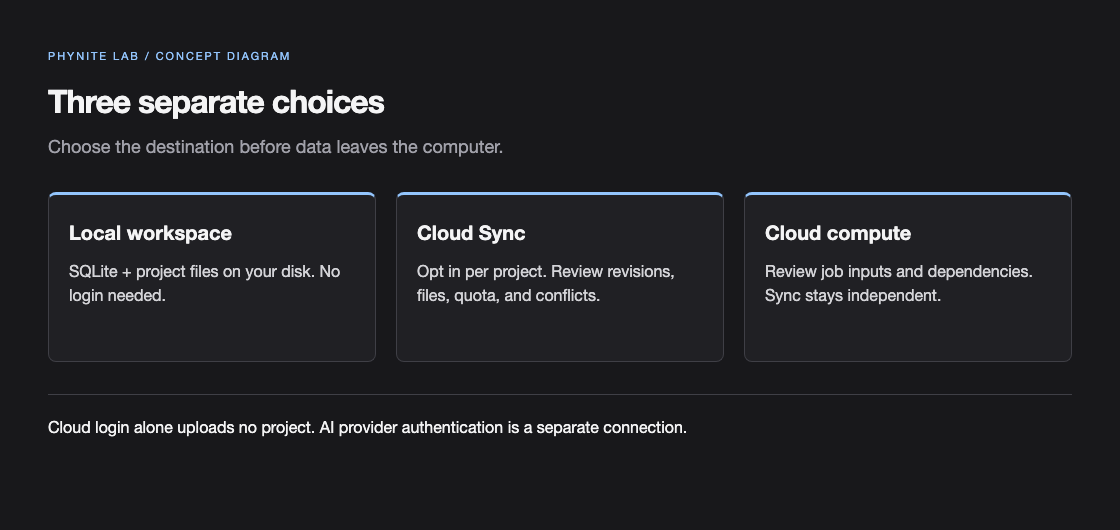
| Choice | What happens |
|---|---|
| Local only | Project, inputs, results, and runtime data remain on the selected computer. No Cloud login is required. |
| Cloud login | Enables account features; local projects remain local until a project action enables sync. |
| Cloud Sync | Enabled per project after reviewing scope, size, and quota. Syncs approved project revisions and artifacts. |
| Run on cloud | Uploads only the reviewed job inputs/dependencies, creates a separate cloud execution, and downloads verified results. It does not enable project sync. |
Sync lifecycle and conflicts
- Sign in from Settings → Account and keep the local workspace identity unchanged.
- Open the project sync control, review the files, size, quota, and retention shown, then enable Cloud Sync explicitly.
- Let the persistent outbox finish. Interrupted transfers resume with checksums; a cloud revision is published only after its snapshot artifacts are verified.
- If another device changed the project, compare local and cloud revisions before choosing use local, use cloud, or save as a copy.
- Use Trash for cloud deletion. A tombstone and retention window protect the cloud copy; disabling sync keeps local and cloud copies, and logout stops sync without deleting local data.
Account boundaries and billing
Sync queues and account mappings belong to the signed-in Cloud account. Switching accounts does not continue uploads created by another account.
Cloud quota, artifact retention, Trash, and the hosted Free allowance are separate from local disk space. Billing and plan changes are available on the hosted website; a purchase does not start a job automatically.
MD Cloud is unavailable until a supported service is shown in the current catalog. Do not infer availability from a local MD runtime.